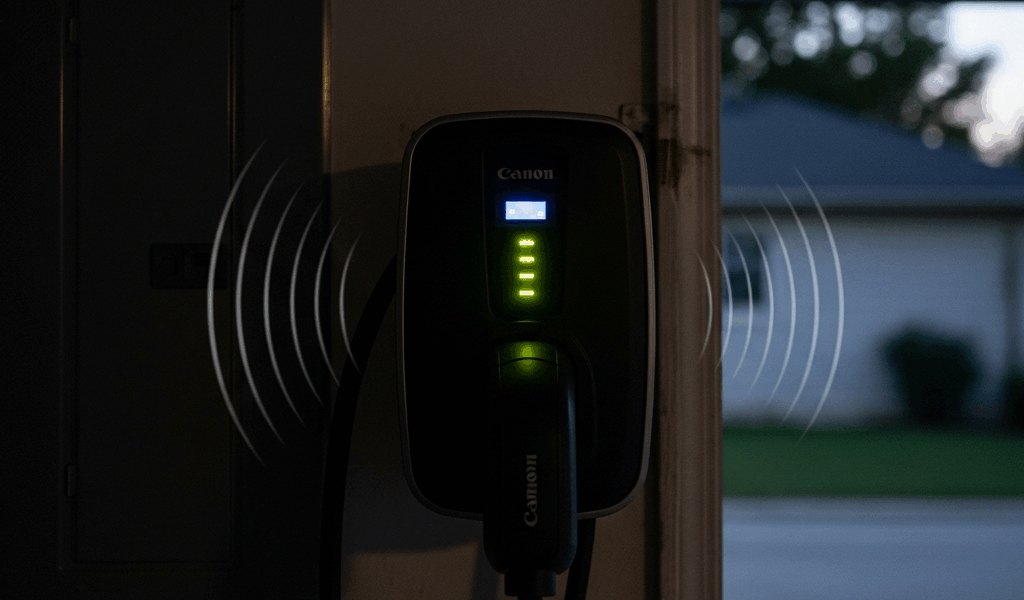
Why Your EV Charger Is Making Noise
EV charger noise has gotten complicated with all the misinformation flying around — half the forums say it’s fine, half say call an electrician immediately. As someone who installed a Level 2 charger in my garage three years ago, I learned everything there is to know about what these units actually sound like at 2 a.m. Today, I will share it all with you.
Here’s what catches most homeowners off guard: noise doesn’t mean broken. Level 2 EVSE units run relays, transformers, and sometimes cooling fans through the entire charging session. All of those make sound. The real skill is knowing which sounds are just annoying and which ones are quietly working toward a tripped breaker — or worse.
So, without further ado, let’s dive in. Buzzing. Humming. Clicking. Fan noise. Each one points somewhere different, and your diagnosis changes completely depending on what you’re actually hearing.
Buzzing or Humming Sound — What It Means
But what is that low drone coming from your charger? In essence, it’s electrical vibration. But it’s much more than that.
A continuous low hum — the classic 60Hz electrical kind — almost always originates inside the transformer. AC current makes transformers vibrate. That’s physics, not failure. Usually just annoying. Sometimes, though, it means something’s come loose inside the housing.
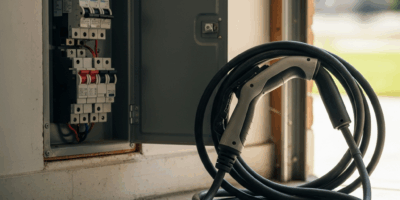
Buzzing is different. A wire terminal that isn’t fully seated will vibrate under load and produce a buzzing sound rather than a clean hum. Three spots worth checking: the outlet your charger plugs into, the hardwired junction box if yours is hardwired, and the breaker terminal itself inside your electrical panel.
Frustrated by a buzzing sound that showed up around week three of ownership, I went down a late-night Google rabbit hole convinced the unit was failing. Turned out the outlet was loose. Embarrassingly loose. The electrician — $185 for the visit, for what it’s worth — pulled the outlet and showed me a terminal screw that had backed itself nearly halfway out, with visible corrosion from Pacific Northwest humidity eating at the contact surface.
Don’t make my mistake. Check the physical connections first.
Here’s how to do it safely. Kill the breaker feeding your charger. Wait 30 seconds — residual charge dissipates quickly but give it a moment. Grab a non-contact voltage tester — a Klein Tools NCVT-1 runs about $20 at any hardware store — and confirm the outlet is dead. Then, with the correct screwdriver or wrench size, re-torque every terminal you can reach. Finger-tight plus a quarter turn. Not more.
Hardwired junction box? You’ll have three terminals minimum on a 240V install: hot, neutral, ground. Same torque standard applies. Re-seat them, restore power, and charge your car. Buzzing that disappears tells you exactly what the problem was.
The breaker terminal is trickier. A loose terminal inside the panel can make the entire breaker buzz — rare, but it happens more in homes with older panels from the late 1990s and early 2000s. I’m apparently living in one of those houses, and my Square D panel works for me while the original Federal Pacific breakers never quite behaved right for the previous owner. Don’t open your panel if you’re not trained on it. A licensed electrician will check the terminal in about 15 minutes once they’re in there.
One hard line: if the buzzing comes with warmth radiating from the outlet housing or any burning smell, stop charging right now. That combination isn’t a nuisance. That’s a fire risk.
Clicking or Relay Ticking Sound — Normal or Not
You plug in, and the charger goes click. Maybe click-click. Maybe it does it again at 2 a.m. for no obvious reason. Probably should have opened with this section, honestly — it’s where most people spiral unnecessarily.
Level 2 chargers use electromechanical relays to open and close the charging circuit. Relay engages when charging starts — click. Relay disengages when the session ends or the battery hits full — click. One click at the beginning, one at the end. That’s the normal pattern.
Intermittent clicking through the night is also normal. Your charger periodically checks the battery’s state of charge, and some models re-engage the relay briefly after minor voltage dips. By design. Nothing to fix.
The frequency diagnostic: clicks once every 30 minutes or less — fine. Every five to ten minutes — still fine, that’s the onboard charger managing the charge curve in real time. That’s what makes relay-based EVSE endearing to us EV owners — they’re actively managing the session, not just dumping current blindly.
Rapid clicking every two or three seconds, continuously? That’s a stuck or failing relay cycling through an error loop. That warrants a service call or warranty claim — not a forum post at midnight.
Fan Running All Night — When to Worry
Some Level 2 units ship with internal cooling fans and make no apology for it. The Grizzl-E Pro 40A runs its fan through active charging and continues for roughly 10 minutes after the session ends. The ChargePoint Home Flex does something similar. If you own one of those and you charge overnight, you will hear a fan. That’s engineering, not malfunction.
The version that actually warrants attention: a fan still spinning after the car is unplugged and 15 minutes have passed. Unplug your vehicle. Set a timer. Go check.
Fan still running? The relay is stuck in the closed position, and the charger thinks it’s still in an active session. That’s an internal fault — usually means the unit needs repair or replacement. Check your warranty documentation first. Most Level 2 chargers carry a two-year manufacturer warranty covering exactly this. Out of warranty and past the five-year mark? You’re probably looking at $400–$800 for a new unit, depending on amperage and brand.
How to Fix It — Steps by Sound Type
For Buzzing or Humming
- Turn off the breaker feeding your charger.
- Wait 30 seconds for residual charge to clear.
- Use a non-contact voltage tester on the outlet or junction box — confirm it’s dead before touching anything.
- Inspect every visible terminal for discoloration, pitting, or corrosion.
- Re-torque each terminal with the correct tool — finger-tight plus a quarter turn, no more.
- Restore the breaker and run a charging session.
- If buzzing continues, the breaker terminal inside your panel is the next suspect — call a licensed electrician for that one.
For Clicking or Relay Ticking
- Track the frequency. One click per session start and end is completely normal.
- Intermittent clicks throughout the night are also normal — the charger is actively managing the session.
- Rapid clicking every two to three seconds, sustained — that’s a relay fault. Contact the manufacturer for a service appointment or file a warranty claim.
For Fan Noise
- Unplug your vehicle from the charger completely.
- Wait 15 minutes and listen.
- Fan stopped? You’re fine — it was designed to run during charging and cool down afterward.
- Fan still running after 15 minutes? Stuck relay. Contact the manufacturer or an electrician.
General Steps
While you won’t need a full electrical toolkit, you will need a handful of basics — a non-contact voltage tester, a screwdriver set with correct tip sizes, and ideally a torque screwdriver if your terminals spec a specific value. First, you should check the manufacturer’s website for firmware updates — at least if your charger has a Wi-Fi connected model number like the ChargePoint CPH50 or Emporia EVSE2. Outdated firmware might be the best option to rule out first, as relay behavior requires software logic to control timing. That is because a bad firmware version can cause unnecessary relay cycling that looks exactly like a hardware fault but isn’t.
Move the charger away from metal shelving or loose tools nearby — resonance amplifies sound significantly in a garage environment. And if the noise appeared suddenly after months of silence, treat it as a wiring issue until proven otherwise. Loose connections don’t self-correct. They get worse, and the failure mode at the end of that road is a fire hazard, not just an annoying sound. A licensed electrician visit runs $150–$250 in most markets. That was the exact cost when I made the call. Worth it without question.


Stay in the loop
Get the latest northwestevcharge.com updates delivered to your inbox.